
In brief
SketchBook Express is a drawing and painting app for beginners and professionals on iOS and Android. This 2015 review highlights 15 preset brushes, fill and transform tools, text insertion, and direct sharing to DeviantART.
Special Features:
1. Full Screen Work Space
2. Multi-touch Navigation with a 2500% Zoom
3. Import Layer from the gallery on Camera or Device
4. 15 Brushes
5. Flood fill tool with brush
6. Smooth Brush Stroking
7. 4 Draw styles
8. Free transform tool
9. Color Wheel

Description:
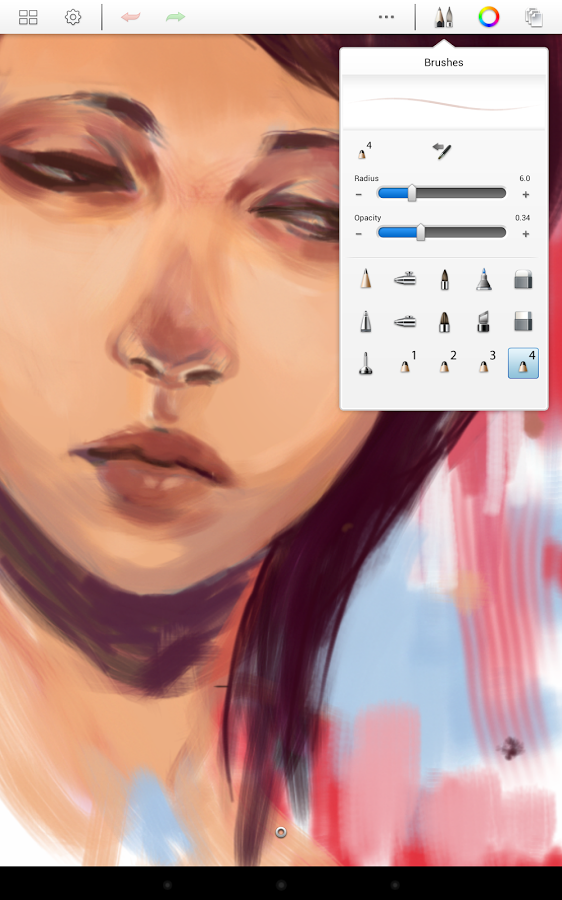
SketchBook Express is an awesome grade and painting app which is designed for beginners and professionals both. This app is developed by Autodesk Inc. It’s good for tablets. But also can be used in your smartphone. If your smartphone screen size is 4 inches or more than 4 inches, it will be perfect to use this painting app. In windows PC we see MS Paint which is really an awesome software for painting. SketchBook Express is like MS Paint for iOS and Android. Sometimes, it is better than MS Paint. SketchBook Express has several awesome drawing tools which are enough for your amazing painting experience. It has 15 preset brushes with flood fill tool. Free transform tool will help you to transform any object in current layer. You can also add text by add text option. You can share your drawing in DeviantART directly. DeviantART is the largest online social network for artists and art enthusiasts. Actually Autodesk SketchBook Express has so many tools for painting. It can’t be express how special this app is! You should practically justify it.
So don’t be late. Download this app for you and present you artist skills. This app is available on Android and iOS both.
Disclaimer: The content of the above mobile app review are the opinions of the reviewers and is intended for informational, educational and discussion purposes only, and should not be used, interpret or relied upon as any form of recommendations. We does not endorse or accredit the mobile app. We make no representations or warranties with respect to the app for the company owned the app and the app developer developed the app.